MAINTENANCE / WO-1132
Investigate the drain
FCU-09 · Riley Chen
Inspection photo and location attached
CONNECTED OPERATIONS
Bring requests, people, assets, purchasing, and proof of completion into connected workflows, so each team can act on the same information.
Aligned perspectives. Smarter outcomes.
 Maintenance / Work orders
Northstar Services / East Campus
Maintenance and Assets & Inventory are the initial focus. The examples also show planned connections across the wider platform.
BUILT AROUND THE WORK
01 / THE CONNECTION IS THE PRODUCT
A request can become assigned work, draw on inventory, trigger a follow-up, and leave evidence for review. Each team builds on information already captured.
02 / FOLLOW THE WORK
Choose a scenario. Follow the same record
as each team adds its part.
Interactive examples show the platform’s intended connections. Feature availability depends on the release.
FROM OBSERVATION TO FOLLOW-UP
Select the observation to see how a repair and cleanup can grow from the same inspection.
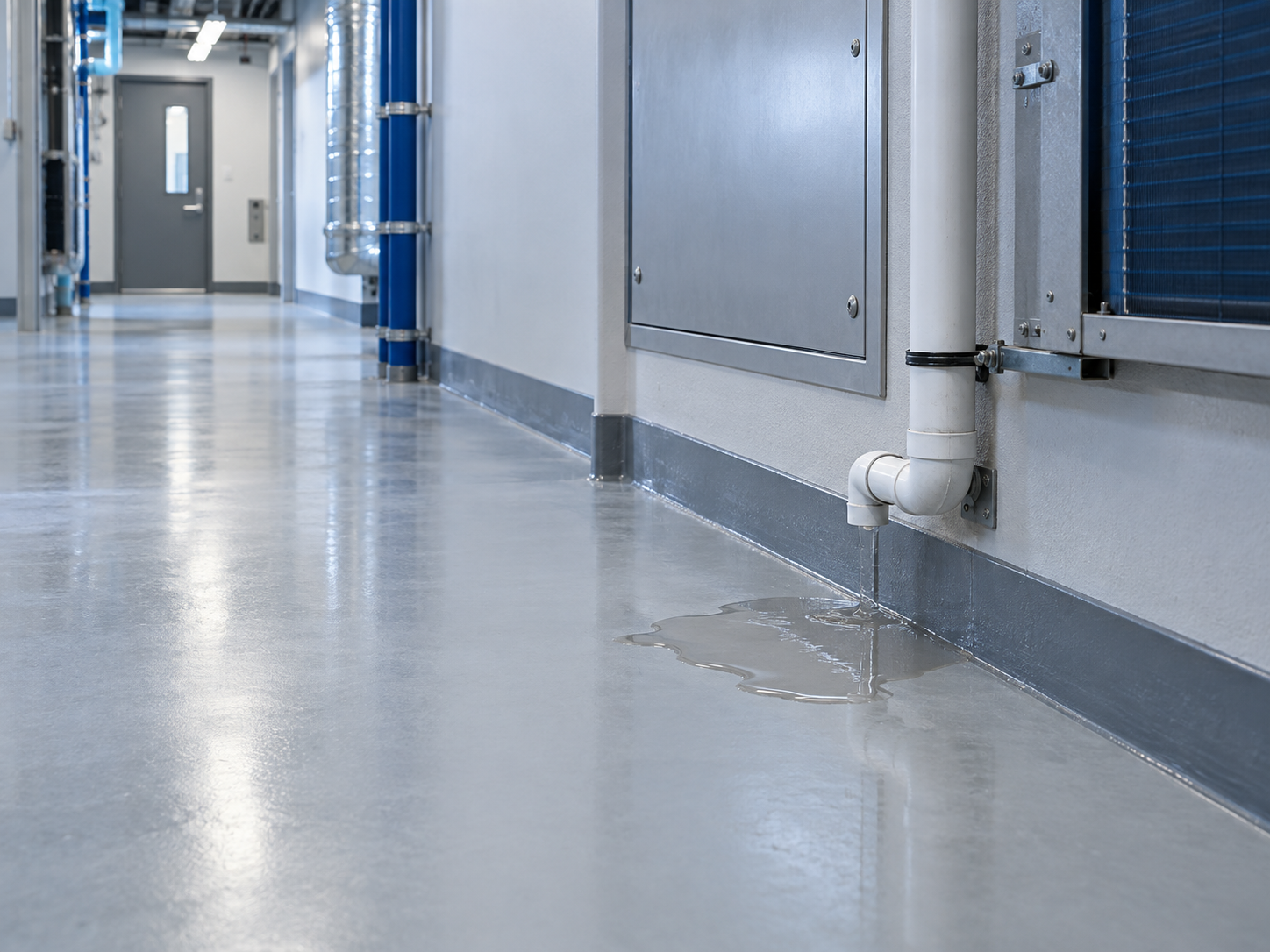
The observation keeps its photo, location, and inspection history.
MAINTENANCE / WO-1132
FCU-09 · Riley Chen
Inspection photo and location attached
JANITORIAL / JW-0260
Service-area floor
Follow-up linked to the repair
Planned workflow · Fictional example
ACCOUNTABILITY IN EVERY HANDOFF
Important work needs an acknowledgment and a clear owner. OperisFlow is designed to escalate unacknowledged issues according to their priority, while keeping the response attached to the record.
Authorized overrides can require a reason, so a necessary change in priority or assignment remains visible in the history.
Assigned team notified at 10:00
No team member has accepted responsibility yet.
The next contact follows the operation’s priority rules.
Fictional example; no notification is sent.
03 / EXPLORE THE CONNECTED PLATFORM
Choose an area to see its workflow,
connections, and shared records.
MaintenanceShared contextOne action can move several parts of the operation.
Representative product views, informed by the current application. All people and records shown are fictional.
FOLLOW THE RESOURCE
From an approved purchase to the equipment it helps maintain, the item carries its history with it.
04 / YOUR OPERATION SETS THE CONTEXT
Run your own sites or deliver services for a client. Connect what was agreed to where it happens, who can do it, and what proves it’s done.
Property operations are one application of a broader operational structure.
TRY AN OPERATIONAL REQUIREMENT
Select a requirement from the sample service agreement.
Illustrative contract-driven connections. Availability depends on the release.
05 / FROM THE DESK TO THE FIELD
Select the assignment on the coordinator’s screen. Complete the sample task on the phone and watch the shared record update.
Interactive demo · Fictional dataChoose an eligible team member to hand over the sample work.
Illustrative assignment · Fictional data · No live dispatch
Designed for desktop and mobile/PWA workflows. Mobile capabilities depend on the release.
06 / CONNECTED BEYOND YOUR TEAM
Give external participants a focused view of their requests, assignments, and documents, with access tied to their role and relationship.
THE SAME WORK FROM ANOTHER PERSPECTIVE
AHU-04 · Maintenance service
AssignedIllustrative permissions; actual access depends on role, scope, and release.
INTERNAL OPERATION
07 / FROM ACTIVITY TO UNDERSTANDING
Follow events across the operation. Open a number or an activity to see the records behind it.
Counts are calculated from the sample work records. Completing the field demo updates both views.
08 / CONNECTION WITH CONTROL
Organization boundaries, scoped permissions, protected attachments, and reviewable changes are part of the platform’s security design.
Keep each organization’s records and access within its own context.
Control actions and visibility by responsibility, site, and relationship.
Secure sign-in and additional verification support controlled account access.
Keep changes attributable to the people who made them, with approval rules and archived records that preserve operational history.
BRING YOUR EXISTING RECORDS
The Import Center is being built to bring work orders, preventive maintenance, assets, and inventory into OperisFlow without recreating each record by hand.
Match existing spreadsheet columns to the right fields.
Check missing details, uncertain matches, and possible duplicates.
Review what will be created, updated, skipped, or rejected before committing.
Resolve flagged rows before confirming the import.
| Record | Review result |
|---|---|
| AHU-04East Campus · Air handling unit | Ready to create |
| PMP-08Site not supplied | Missing site |
| DR-12Matches an existing asset ID | Possible duplicate |
Review required before any record is changed.
Illustrative preview of the planned import workflow.
STEP INSIDE THE CONNECTIONS
Take a guided tour of one request, or explore the fictional organization at your own pace.
No account needed for the demo. Account actions open OperisFlow Preview, our staging environment.
Connecting people, services, resources, and decisions.
The Import Center is being built for work orders, preventive maintenance, assets, and inventory. The planned process includes column mapping, a preview, row-level validation, and duplicate checks before confirmation. Supported file formats and record types will depend on the release.
OperisFlow is designed to share people, teams, and operational records across multiple sites while keeping site-specific assignments, permissions, and reporting. A site can be a facility, property, or another service location.
The dispatch design brings together schedules, clock-in status, site authorization, availability, and qualifications. A coordinator can assign a team or an individual, with documented overrides where the organization permits them.
External participants are part of the product design. Contractors can remain associated with their own employer, while clients, tenants, and vendors receive access appropriate to their relationship. Their view is intended to show relevant work and documents without opening internal costs or team conversations.
The mobile direction is an installable web app for field tasks and time and attendance. Work records, asset details, and completion evidence are the focus. Offline behavior, push notifications, and installation support depend on the device and release.
The rollout is designed to be gradual. Maintenance and Assets & Inventory are the pilot focus, with the purchasing, staffing, and mobile capabilities needed to support them. Other operational areas can be introduced as their releases become ready.
Completion requirements are designed around the service being performed. A task can call for a comment, a measurement, or inspection evidence, with review where required. The result stays linked to the work and related asset rather than being reduced to a completed checkbox.
OperisFlow is in development for its initial operational pilot. You can explore the fictional demo on this page now. The wider workflow examples describe the product direction; pilot access and usable capabilities depend on the current release.